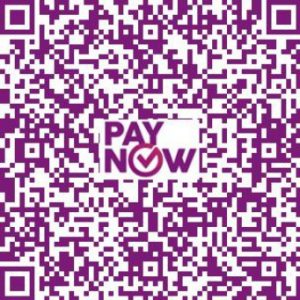
Donations by PayNow
Donors can make a donation via PayNow by scanning the QR code or by keying in the Unique Entity Number (UEN): T08GB0028LMRA
Participating banks include Citibank, DBS/POSB, HSBC, Maybank, OCBC, Standard Chartered, UOB, ICBC and BOC.
General steps to donate via PayNow:
- Log in to your bank’s mobile app
- Tap on Scan QR code function if available OR Select Pay & Transfer/Transfer Funds
- Select PayNow via UEN.
- Enter T08GB0028LMRA in the UEN field
- Leave the Reference field blank for General Mosque donation or key in the name of the mosque for specific mosque donation
- Verify that ‘OURMASJID.SG’ is populated
- Follow the on screen instructions and fill in the Amount
- Complete the transaction.